
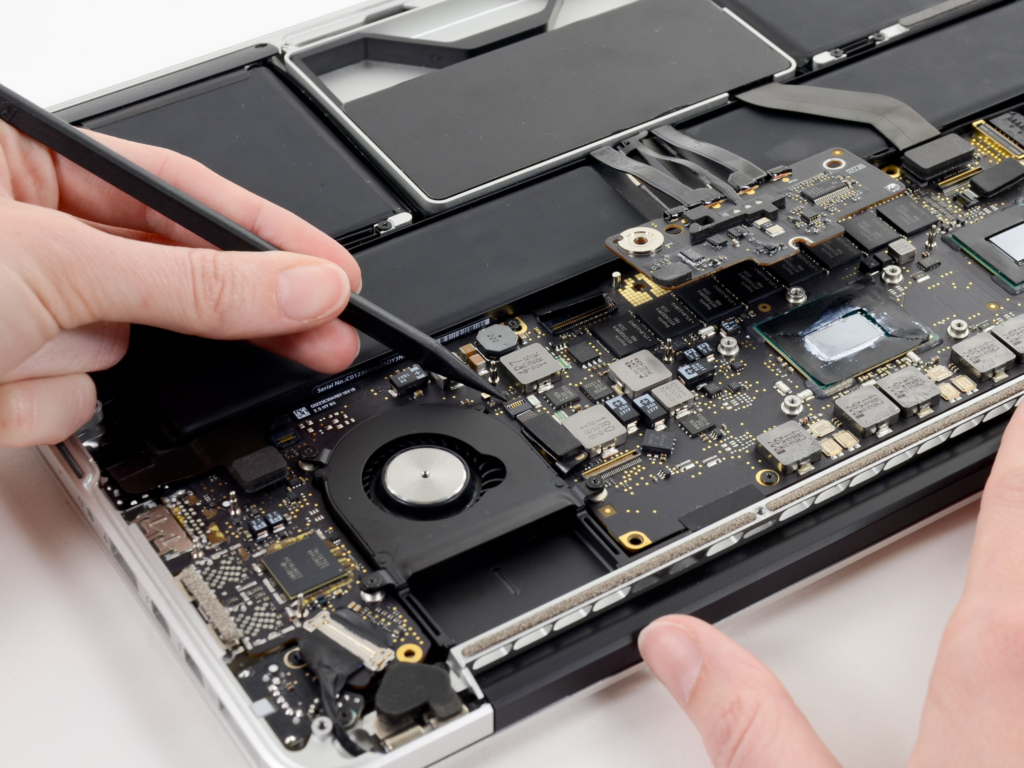
A Mac can become an essential part of work, study, creativity, and everyday communication. When it begins showing signs of trouble, even a minor issue can interrupt important tasks and reduce productivity. From battery problems and charging failures to damaged displays and keyboard issues, different symptoms can have different underlying causes. Choosing the right repair approach therefore requires careful diagnosis, not guesswork.
For users with an Apple laptop repair need, a professional assessment can identify the actual problem before unnecessary parts are replaced. A structured repair process can protect the device, improve reliability, and help users make informed decisions about restoring their Mac.
Recognising Common Mac Problems Before Repair
Understanding early warning signs helps users spot problems sooner and seek appropriate technical assistance.
1. Battery Performance And Unexpected Shutdowns
Battery problems may show up as faster power loss, reduced runtime, unexpected shutdowns, or charging issues. These symptoms can result from battery ageing, charging components, or other hardware faults. Professional diagnostics can identify the actual cause before recommending a replacement. Checking battery health and related components provides a clearer basis for deciding whether repair, replacement, or further investigation is necessary.
2. Display Problems Affecting Everyday Work
Display issues can make a Mac difficult to use, especially for work involving documents, images, or videos. Cracks, flickering, lines, brightness problems, or a blank screen may indicate different faults. Professional technicians can inspect the display and connections to identify the source. This helps determine whether the screen assembly, internal connections, or another component requires attention.
3. Charging And Connectivity Difficulties
A Mac that fails to charge or repeatedly disconnects from power can disrupt everyday work. Charging issues may involve ports, adapters, power delivery components, or internal circuitry. Technicians can examine charging behaviour and related components to identify the cause. Proper inspection is especially important for intermittent problems, as replacing one component without finding the underlying fault may not resolve the issue.
4. Keyboard And Trackpad Issues
Unresponsive keyboard keys, repeated inputs, damaged mechanisms, or trackpad problems can affect everyday Mac use. These components are essential for navigation and productivity, so don’t ignore persistent faults. Professional inspection can determine whether cleaning, repair, or replacement is appropriate. The correct solution depends on the Mac model and the type of damage identified.
5. Performance And Internal Hardware Concerns
Performance issues may include unexpected shutdowns, overheating, unusual fan activity, slow operation, or system instability. These symptoms can involve software, thermal conditions, storage, power components, or motherboard-related faults. Professional diagnostics can separate these possibilities and identify areas requiring attention. Detailed inspection becomes especially useful when several symptoms appear together, helping prevent unresolved underlying problems.
Professional Diagnostics Improving Mac Repair Decisions
A careful diagnostic process connects visible symptoms to underlying causes before repair work begins. When seeking Apple laptop repair, users should look for a process that begins with inspection rather than immediate replacement. Depending on the reported problem, technicians can assess the device’s battery condition, display, charging system, ports, internal components, and performance. This structured approach can reduce unnecessary repairs and clarify the work required. It also gives users an opportunity to review the proposed solution and expected cost before authorising service. Clear communication throughout the process is particularly important when repairs involve expensive components or complex internal systems.
Choosing The Right Repair Approach For Your Mac
Different repair situations require different considerations, making professional evaluation important for reliable results.
1. Matching Repairs To The Exact Mac Model
MacBook models can differ significantly in their internal components and repair requirements. Identifying the exact model number helps technicians choose compatible parts and the right procedures. Users can provide model details before service to support accurate diagnosis. This approach helps ensure the recommended repair matches the specific device instead of relying on general assumptions about similar Mac models.
2. Considering Part Quality And Availability
The quality and availability of replacement parts can influence repair performance, durability, and cost. Depending on the model, providers may offer genuine, OEM-grade, or compatible components. Users should understand which part is being proposed and whether warranty coverage applies. Clear information about available options helps customers balance performance, reliability, budget, and long-term value when selecting replacement components.
3. Protecting Data During Technical Service
MacBooks often contain important work files, photographs, documents, and personal information. Users should back up their data whenever possible before handing over a device for repair. Professional technicians should also handle customer information carefully and avoid unnecessary access. Data protection becomes particularly important during motherboard, storage, or liquid-damage investigations, where unexpected technical issues may require extensive diagnostics.
4. Comparing Convenience With Repair Requirements
A repair service should accommodate the user’s schedule without compromising technical quality. Pickup and delivery options can benefit customers who cannot easily visit a service centre. However, convenience should remain secondary to accurate diagnosis and proper testing. Before approving service, users can ask about turnaround time, inspection procedures, warranty coverage, and collection arrangements to understand the complete repair process.
5. Checking Testing And Warranty Procedures
A completed repair should include appropriate testing before returning the device. Testing helps confirm that the repaired component functions correctly and that related features remain stable. Users should also understand the warranty provided for eligible repairs and components. Clear documentation, final testing, and transparent warranty terms can make the service process more reliable while giving customers greater confidence in their restored MacBook.
Conclusion: Finding Dependable Mac Repair Support
Professional Mac repair begins with accurate diagnosis, suitable parts, careful handling, and proper testing. Whether the issue involves the battery, display, charging system, keyboard, trackpad, software, or internal hardware, identifying the underlying cause is essential to choosing the right solution.
For users seeking MacBook Pro Repairing in Dubai, 800fixing provides solutions for screen, battery, keyboard, trackpad, charging, motherboard, software, and other common issues. With professional diagnostics, pickup and delivery options, quality parts, and warranty coverage on eligible repairs, the service makes the repair process more convenient. From identifying the underlying problem to getting the device back in working condition, 800fixing helps customers handle MacBook repairs with greater confidence and minimal disruption to their everyday work.
