
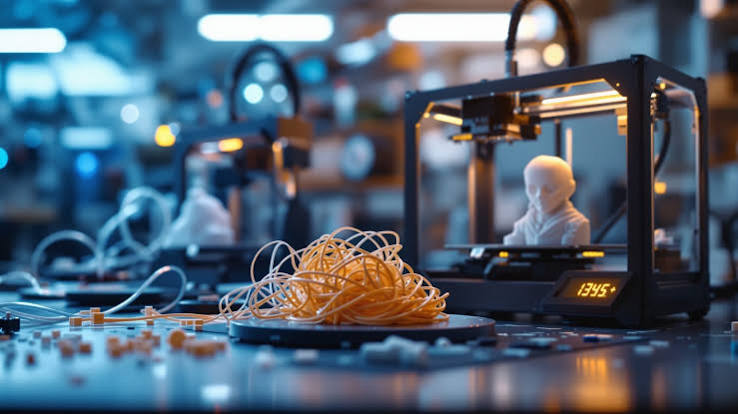
3D printers have moved well beyond prototyping labs and engineering departments. They now sit on workbenches in small manufacturing shops, product development studios, dental offices, architecture firms, and even school facilities. With that broader adoption comes a broader range of users — many of whom are operating machines they understand well enough to run but not always well enough to troubleshoot under pressure.
When a 3D printer stops performing reliably, the impact is rarely contained to one job. It disrupts lead times, delays client deliveries, and in production environments, it can create a cascade of scheduling problems that take days to resolve. Understanding which problems are genuinely within reach of an in-house fix — and which ones warrant professional attention — is a practical skill that saves time, money, and unnecessary frustration.
This article walks through the ten most common 3D printer issues, what actually causes them, and how to make an informed decision about whether to troubleshoot independently or escalate the problem.
1. When Print Quality Degrades and You’re Not Sure Why
Print quality issues are the most frequently reported class of problems across FDM, resin, and SLS machines alike. They’re also the most misdiagnosed, because the visible symptom — rough surfaces, warped layers, incomplete structures — can point to a dozen different causes. Seeking qualified 3d printer repair becomes a reasonable consideration when multiple variables have already been ruled out and the machine continues to produce inconsistent results. For operations where output quality is tied directly to client deliverables or regulatory compliance, this matters more than it might seem.
Diagnosing Before Replacing
Quality degradation often stems from a combination of factors rather than a single failure. A slightly worn nozzle, inconsistent filament diameter from a new spool, and minor bed levelness drift can each contribute a small amount of error — but together, they push output below acceptable thresholds. Before attributing the problem to hardware failure, it’s worth checking whether any consumable or environmental variable changed recently. A new material type, a different ambient temperature in the workspace, or even a recently cleaned bed surface can introduce instability that looks mechanical but isn’t.
2. Bed Adhesion Failures
First-layer adhesion problems are among the most common reasons prints fail mid-job. When a print lifts from the build plate partway through, the material, time, and machine wear for that job are lost entirely. Bed adhesion is affected by surface condition, bed temperature, nozzle height calibration, and the material being used. Most adhesion issues are operator-correctable without any tools beyond what ships with the machine.
What Operators Can Usually Resolve
Re-leveling the build plate, cleaning the surface with an appropriate solvent, refreshing adhesion aids like glue stick or hairspray, and rechecking nozzle offset settings are all within scope for most users. If adhesion problems persist after these steps — particularly on machines with automatic bed leveling — the issue may be a failing probe sensor or warped build plate, either of which typically requires a hands-on assessment.
3. Clogged or Partially Blocked Nozzles
Nozzle clogs are routine maintenance events on any FDM printer used regularly. They occur when residual material carbonizes inside the hotend, when incompatible materials are mixed during filament changes, or when debris enters the feed path. A partial clog produces under-extrusion; a full clog stops extrusion entirely.
Cold Pull vs. Mechanical Clearing
A cold pull — heating the nozzle, loading filament, then cooling and pulling it back sharply — clears the majority of partial clogs without requiring nozzle removal. Stubborn clogs may require a nozzle removal and soak, which is accessible to most users with basic tools and patience. What makes a clog worth escalating is when the blockage is located not in the nozzle itself but further up in the heat break or PTFE liner, where improper clearing can damage components that are difficult or expensive to replace.
4. Layer Shifting
Layer shifting produces prints where each successive layer appears offset from the one below it, creating a staircase effect or complete structural misalignment. This is a mechanical problem, typically caused by loose belts, skipping stepper motors, or obstruction in the motion system. It is not a software or slicing issue, despite how often it’s misattributed.
Mechanical Checks Within Operator Reach
Belt tension is the first variable to check. Belts stretch over time and require periodic re-tensioning. Similarly, pulley set screws can loosen and allow slippage under load. Cleaning linear rails and rods of debris or dried lubricant can also resolve shifting on machines where motion resistance is the culprit. If shifting continues after these checks, the stepper driver or motor itself may be failing — a diagnosis that requires electronic testing and typically professional attention.
5. Stringing and Oozing Between Features
Stringing refers to thin threads of material deposited between separate parts of a print during travel moves, where the nozzle is moving but not actively extruding. It’s primarily a settings issue rather than a hardware failure, making it one of the more approachable problems for users to address independently.
Retraction and Temperature as Primary Controls
Retraction distance and speed, travel speed, and extrusion temperature are the variables that govern stringing behavior. Different materials behave differently — flexible filaments, for instance, string more readily than rigid ones and require significantly different retraction profiles. Operators comfortable with their slicer settings can usually reduce stringing to acceptable levels without any physical intervention on the machine itself.
6. Warping and Cracking in Larger Prints
Warping occurs when material cools unevenly during printing, causing internal stresses that lift edges off the build surface or crack the part along layer lines. It is particularly common with materials that have high coefficients of thermal expansion, and it becomes more pronounced as print size increases.
Enclosure and Environment as Solutions
Enclosing the print environment to stabilize ambient temperature is the most effective structural fix for warping-prone materials. Draft shields — thin walls printed around the perimeter of a model — can also reduce localized cooling effects. For operations printing large functional parts regularly, a printer without an enclosure running warp-sensitive materials is a workflow risk, not just an inconvenience.
7. Extruder Grinding or Clicking
A grinding or clicking sound from the extruder assembly typically indicates that the drive gear is failing to grip the filament consistently. This produces under-extrusion and can damage the filament surface, making the problem self-reinforcing. According to engineering guidance from the National Institute of Standards and Technology’s additive manufacturing program, mechanical consistency in material feed systems is a foundational requirement for dimensional accuracy in printed parts.
When Extruder Issues Become Hardware Failures
Replacing a worn drive gear or idler tension spring is within scope for most users who are comfortable with basic disassembly. However, if the issue is a failing stepper motor — which can produce similar symptoms but requires electrical diagnosis — that moves into territory where incorrect intervention can cause further damage. Listening carefully to the pattern of the clicking (consistent vs. intermittent) and cross-referencing with extrusion behavior during test prints helps narrow the cause before taking action.
8. Inconsistent Extrusion and Under-Extrusion
Inconsistent extrusion produces prints with visible gaps, weak layer bonding, and surfaces that appear textured or porous when they should be smooth. It can stem from partial clogs, extruder tension issues, filament diameter variation, feed tube friction, or bowden tube gaps in indirect-drive systems. Because multiple causes produce the same visible symptom, systematic elimination is important.
Bowden Systems vs. Direct Drive Considerations
Bowden-style setups introduce additional variables — tube length, coupling wear, and the gap between tube and nozzle — that direct drive systems don’t share. Operators running Bowden configurations should inspect PTFE tube seating at both ends during any under-extrusion investigation. A worn coupling that allows even slight tube movement at the hotend can produce chronic inconsistency that no amount of settings adjustment will resolve.
9. Touchscreen, Firmware, and Control Interface Failures
Interface and firmware problems are easy to underestimate because they don’t always manifest as a stopped print. They may appear as controls that respond inconsistently, menu options that don’t execute correctly, or print jobs that begin normally but behave erratically partway through. These issues can be caused by corrupted firmware, display hardware degradation, or communication errors between the control board and the interface layer.
Firmware Reflashing vs. Hardware Replacement
Reflashing firmware is a recoverable operation for users who are methodical and follow manufacturer documentation carefully. An incorrect flash, however, can brick a control board that would otherwise have been repaired through simpler means. If control board behavior is erratic even after a clean firmware installation, the board itself may be failing — which typically requires professional diagnosis and component-level repair or replacement.
10. Thermal Errors and Heating Failures
Thermal errors — where the printer reports that a hotend or heated bed is failing to reach or maintain its target temperature — stop jobs immediately as a safety measure. These errors can point to a failing thermistor, a degraded heater cartridge, loose wiring at either component, or in rarer cases, a failing MOSFET on the control board. 3d printer repair at this level involves live electrical components and is not risk-free.
Safety Considerations in Thermal System Work
Replacing a thermistor or heater cartridge is a well-documented procedure and is achievable for users comfortable with basic soldering or connector work and who understand how to safely power down and discharge the machine. What operators should not attempt without proper background is diagnosing or replacing MOSFET components on the main board, or working on machines where wiring insulation has degraded or shows signs of heat damage. These conditions introduce real safety risk and are a clear case for professional service.
Knowing When to Stop Troubleshooting
The dividing line between operator-level maintenance and professional 3d printer repair isn’t always obvious, but it tends to fall along two consistent boundaries: electrical safety and diagnostic complexity. Most mechanical issues — belt tension, bed leveling, nozzle clogs, and extruder tension — are genuinely within reach of an attentive operator with basic tools and patience. These are expected maintenance tasks, and manufacturers design for them to be accessible.
What moves outside that boundary is anything involving the control board, wiring harness, thermistor calibration beyond standard replacement, or motion system failures that persist after all mechanical checks have been exhausted. In these cases, continued trial-and-error intervention carries a real risk of converting a repairable fault into a more serious one.
For facilities where 3D printing is tied to production output, client deliverables, or regulated applications, the cost of extended downtime typically outweighs the cost of a professional service call. The practical approach isn’t to choose between self-service and professional support — it’s to recognize which problems belong in which category and act accordingly. That clarity, more than any single technical skill, is what keeps a machine running consistently over time.
